By following these tips, you can take part in more surveys, earn points faster, and redeem them for exciting rewards (link).
1) Check Your Email Settings!
Sometimes emails from Talk end up in the spam folder or are incorrectly classified as advertising. You can easily fix this so that you never miss a survey again:
- Add Talk Online Panel to your email contacts.
- If emails from Talk land in your spam folder (sometimes called "junk email"), move them to your regular inbox and remove the spam marking.
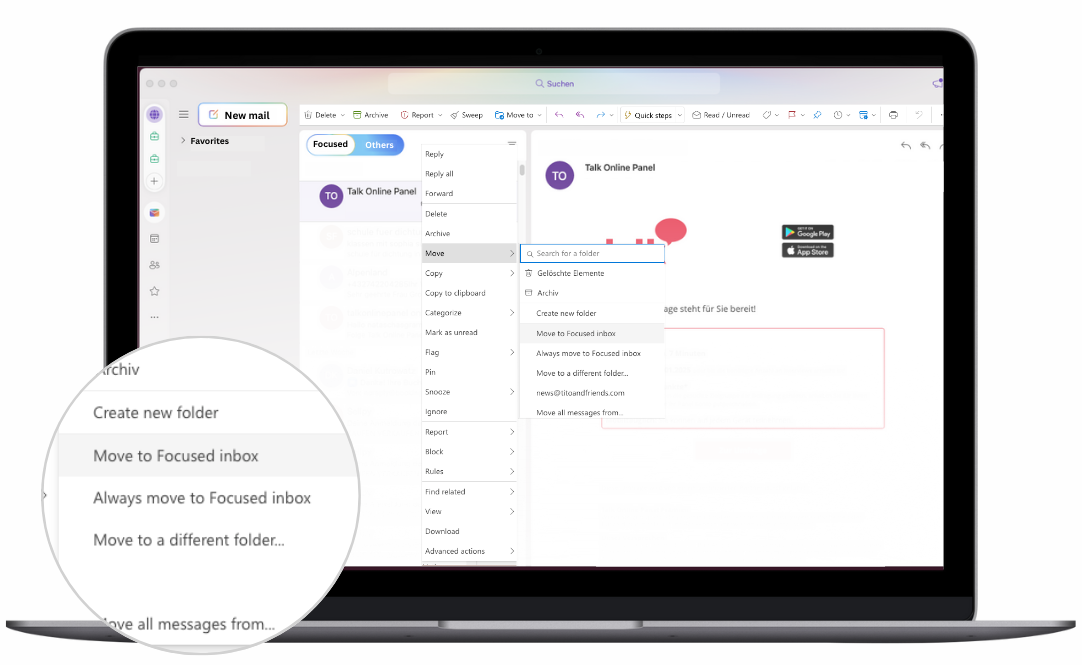
- If Talk emails are sent to the "Other" folder, select an email from Talk, click on "Move to," and choose the "Focused" folder. Here’s a more visual guide:
2) Download the Talk Online Panel App:
Earn even more points with the app and enjoy the following benefits:
- Never miss a survey again: Receive push notifications as soon as new surveys are available! Just tap and start.
- Participate anytime, anywhere: Whether you're on the go, at home, or in the office – with the app, you always have access to surveys directly from your smartphone!
- Easy to use: The app has an intuitive design, simple navigation, a points overview, and an optimized user experience. Manage your data, redeem points – all conveniently via the app.
- Exclusive app surveys: Take part in surveys that are only available through the app!
Install the Android or iOS version of our free app and log in with your usual credentials.
3) More survey opportunities and collect extra points with our Buddy on the Road
- Buddy on the Road: Activate Buddy on the Road in the app and receive invitations to location-based market research projects based on your location. Learn more about Buddy on the Road.
4) Keep Us Updated!
We want to invite you to surveys that are personally relevant to you! Are you a cat owner, a driver of a specific car brand, or a parent? Let us know – this helps us tailor survey invitations specifically for you.
Simply click on your name when logged in and complete all pending profile surveys.
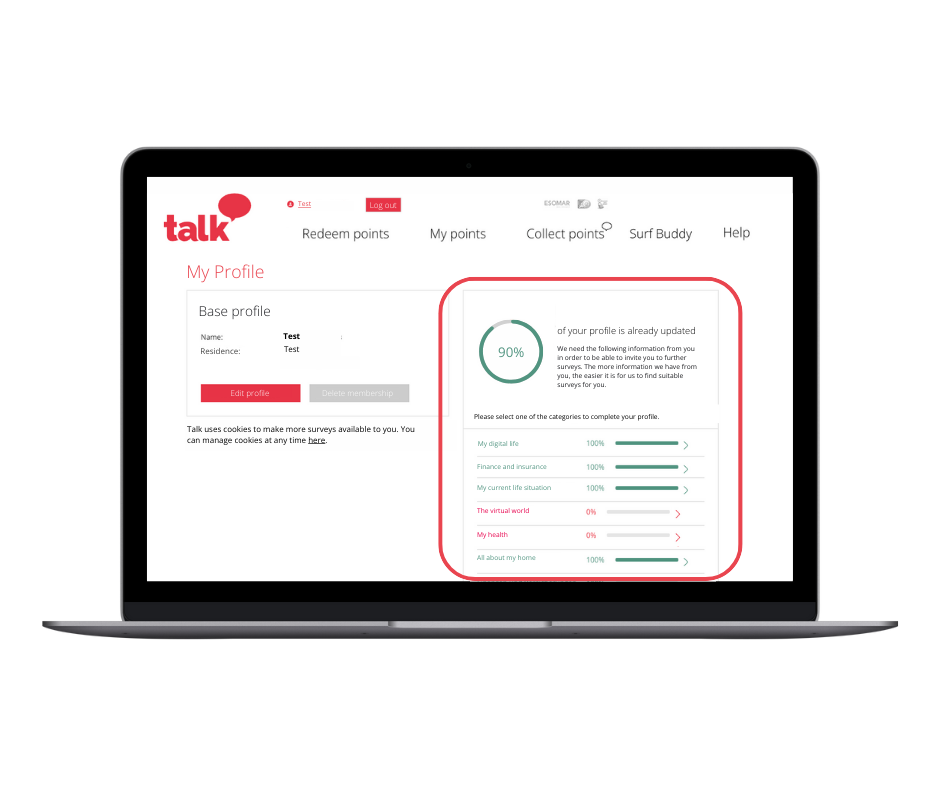
A time-saving tip:
You can find all your pending profile surveys in our app as well!
P.S.: In your account and in the app, you’ll find not only your pending profile surveys but also all other available surveys!
4) Enable Browser Notifications
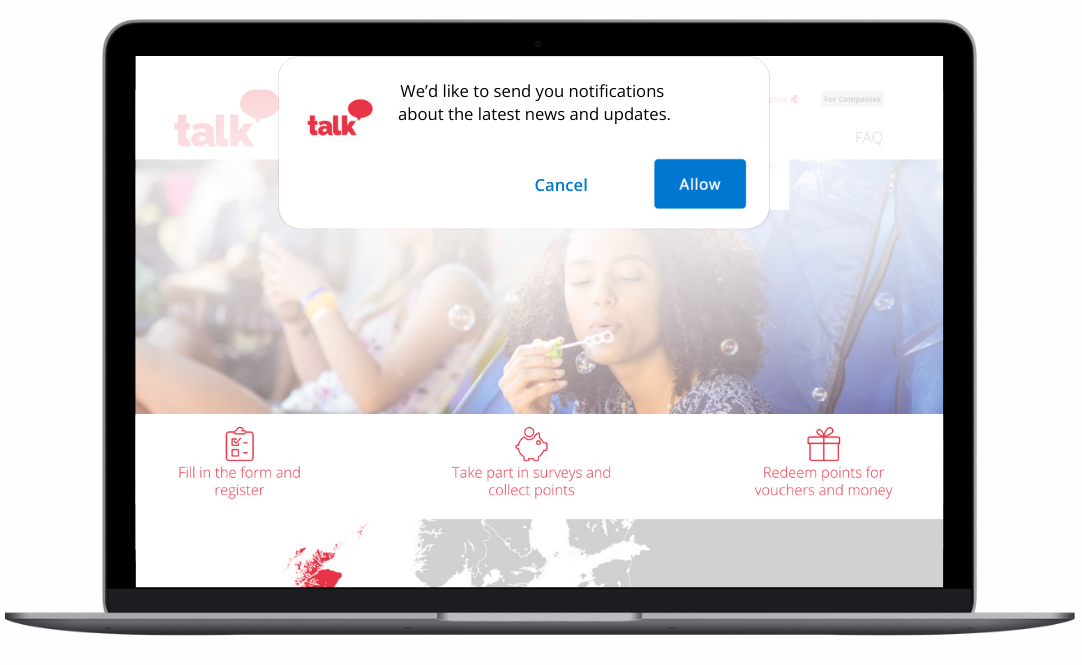
Stay informed when you're online with your browser. Enable browser notifications through the banner or your settings. When you allow a website to send notifications, you'll receive invitations to surveys via your browser. On a laptop or desktop computer, these notifications appear on the right side of your screen.
Here’s how it works:
Log in to your profile and click "Accept browser notifications" in the pop-up. If you use multiple devices, activate notifications on all of them – so you never miss a survey again!
We hope our tips and tricks are helpful and that you’ll be able to collect points even faster. If you have any questions (or just want to chat with us), our support team is happy to hear from you!